 SteamFocus
RPG Maker MV - Beast man Generator

О дополнении
- Дата выхода
- 28.02.2019
- Платформы
- Windows, macOS, Linux
- Базовая игра
- RPG Maker MV
Цена в России
Нет подтверждённой цены в рублях
Скриншоты 4



Описание
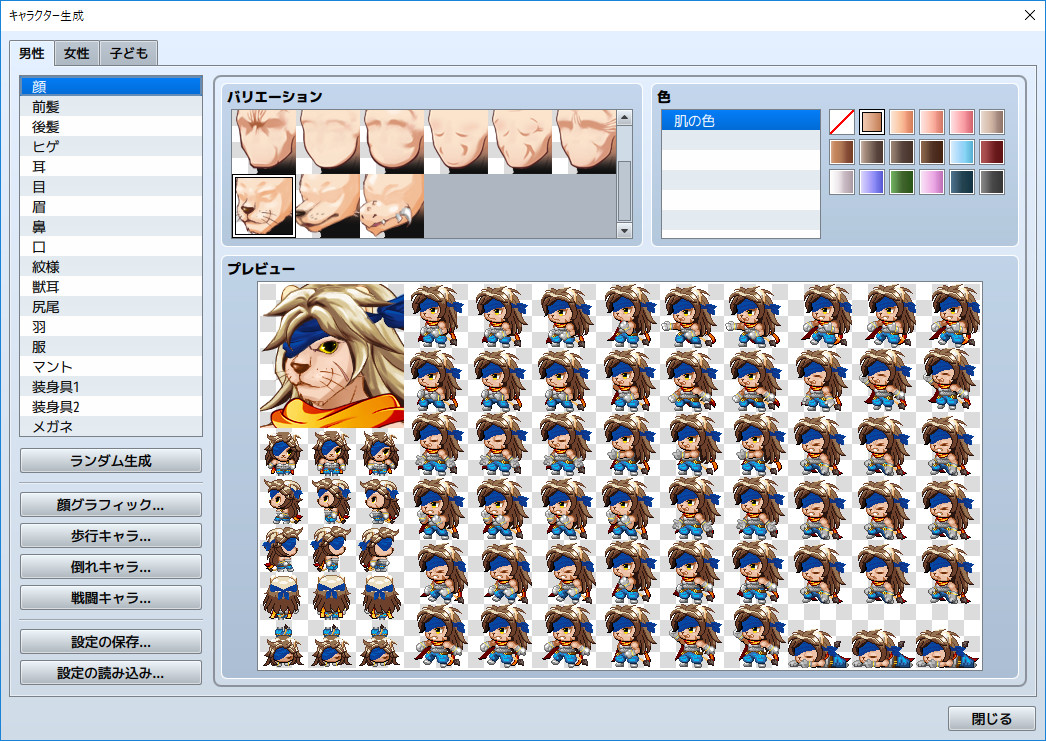
Let your animalistic tendencies come to life with this new Beast man Generator pack! Now you can create mean, tough, snarling man-creatures and enemies with all the usual features of badness: horns, tusks, snouts, ears, teeth, body sprites and lots more!
Features:
Clothes: 20 Male
Accessories or antlers: 10 Male
Beast ears: 5 sets
Set of eyes: 3 sets
Beast face: 3 shapes (Leo / lion, Lizardman, Werewolf)
Beast tail: 4
Front hair: 4 male
Rear hair: 4 male
Beast body: 3 male (Leo / lion, Lizardman, Werewolf)
** In order to use the contents in this pack firstly it is very important for you to make a backup of the original normal-body templates such as SV_body_p01.png, SV_body_p01_c.png, TV_Body_p01.png, TV_Body_p01_c.png, TVD_Body_p01.png, TVD_Body_p01_c.png .
After successfully saving the original body templates into other folder you can swap in the beast body templates by clicking "body" folder in each SV, TV, TVD folders.
Please visit our website for more information on how to use this pack. Link is on the right under "User Manual"
Об этом дополнении
Базовая игра — RPG Maker MV.
Как установить DLC
В библиотеке Steam откройте свойства базовой игры и раздел «Доп. контент (DLC)». Отметьте купленное дополнение в списке. Загрузку можно проверить в разделе «Загрузки».
Справка Steam по дополнениям ↗Другие DLC этой игры
 RPG Maker MV - Rhythm Game Maker
 RPG Maker MV - Media Maiden's Acoustic Vibe
 RPG Maker MV - Media Maiden's A Little Bit of 8 Bit
Отзывы игроков
|
Пока нет отзывов. Оставьте первый.
Написать отзыв

Наш друг на старте
Открыть в Steam
RPG Maker MV - Beast man Generator