 SteamFocus
Скачать дополнение RPG Developer Bakin Layout Data Comic

О дополнении
- Дата выхода
- 22.05.2024
- Платформы
- Windows
- Жанры
- Разработка игр
- Базовая игра
- RPG Developer Bakin
Цена в России
Нет подтверждённой цены в рублях
Скриншоты 16





Описание
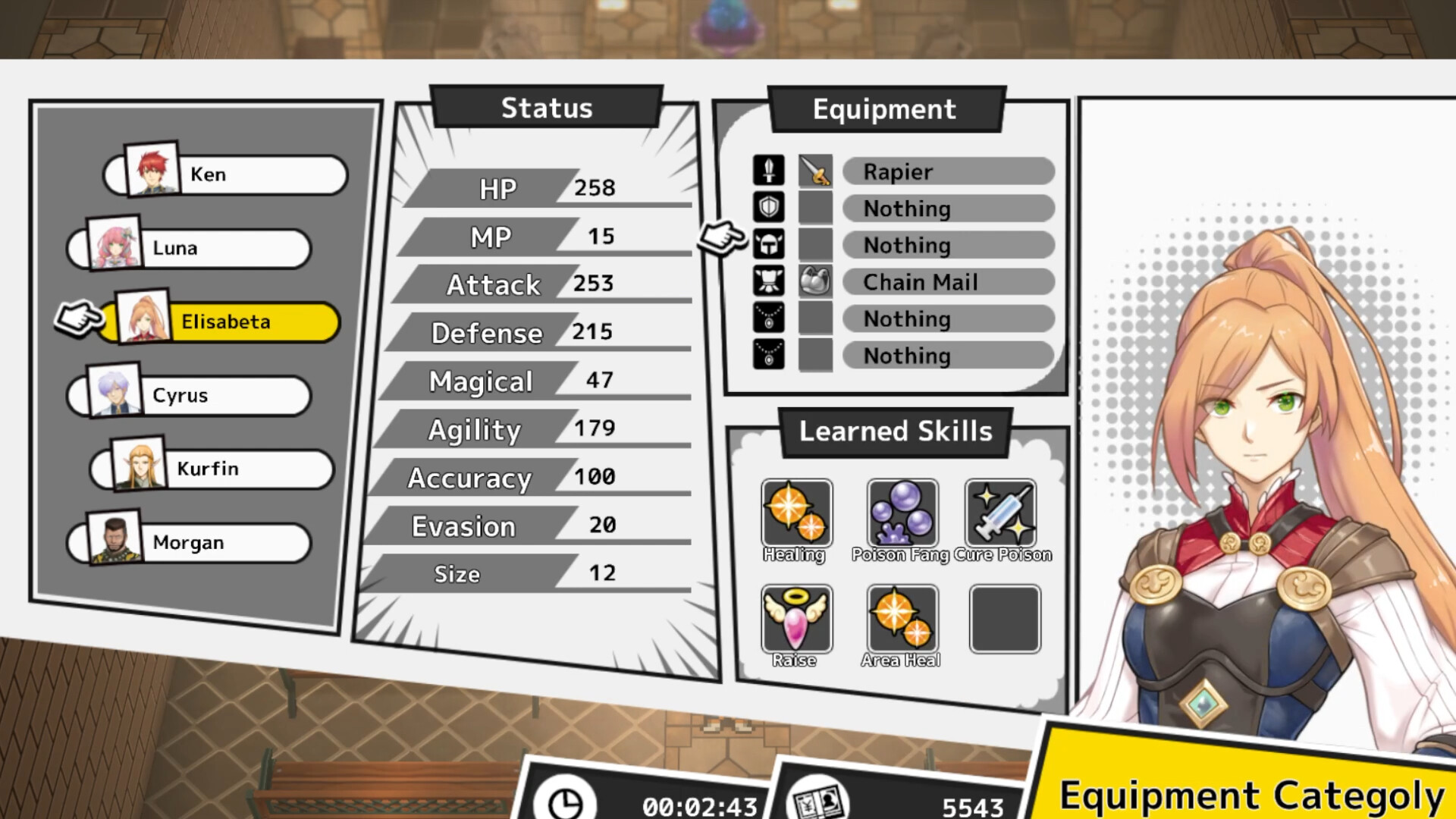
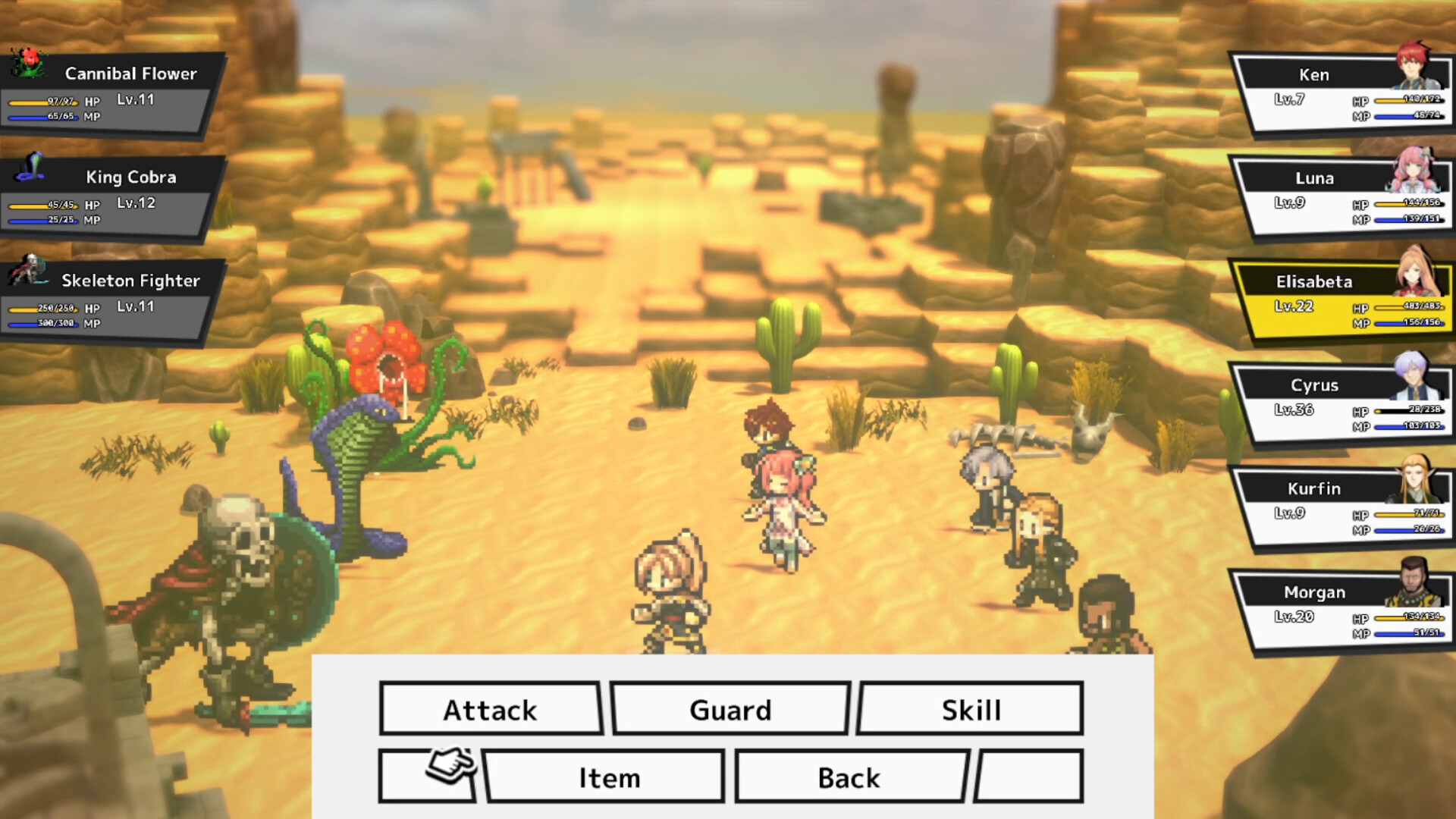
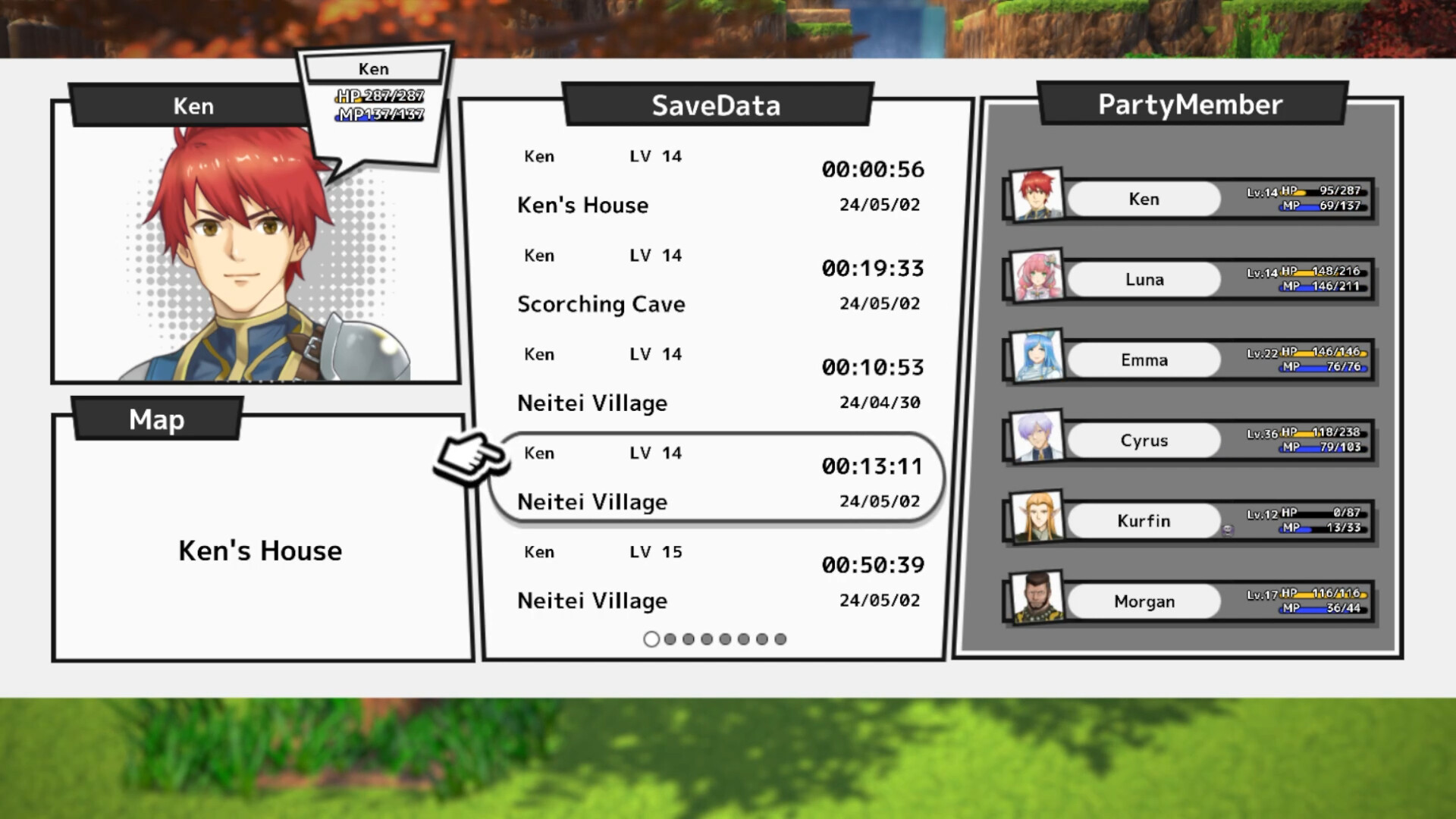
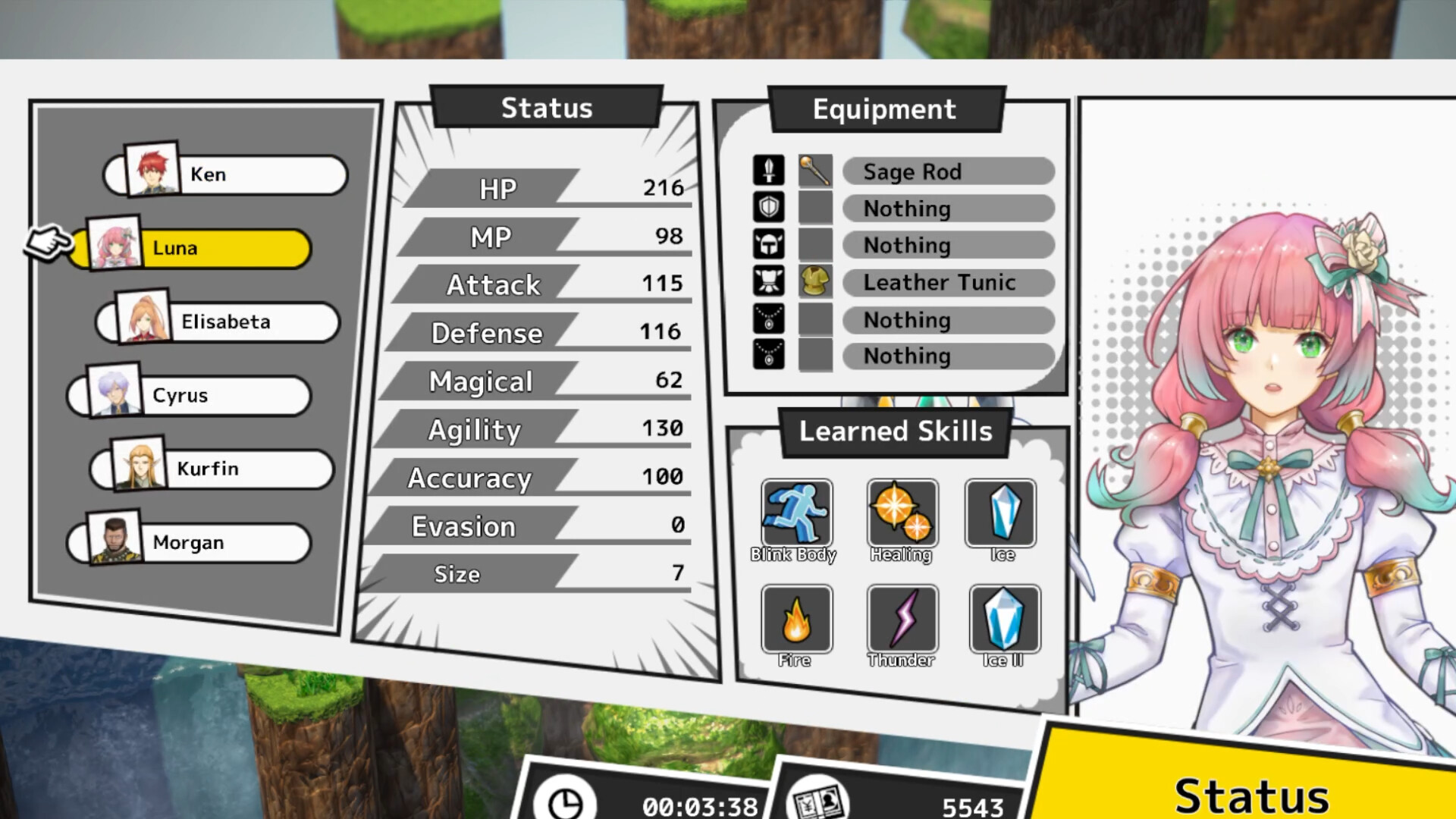
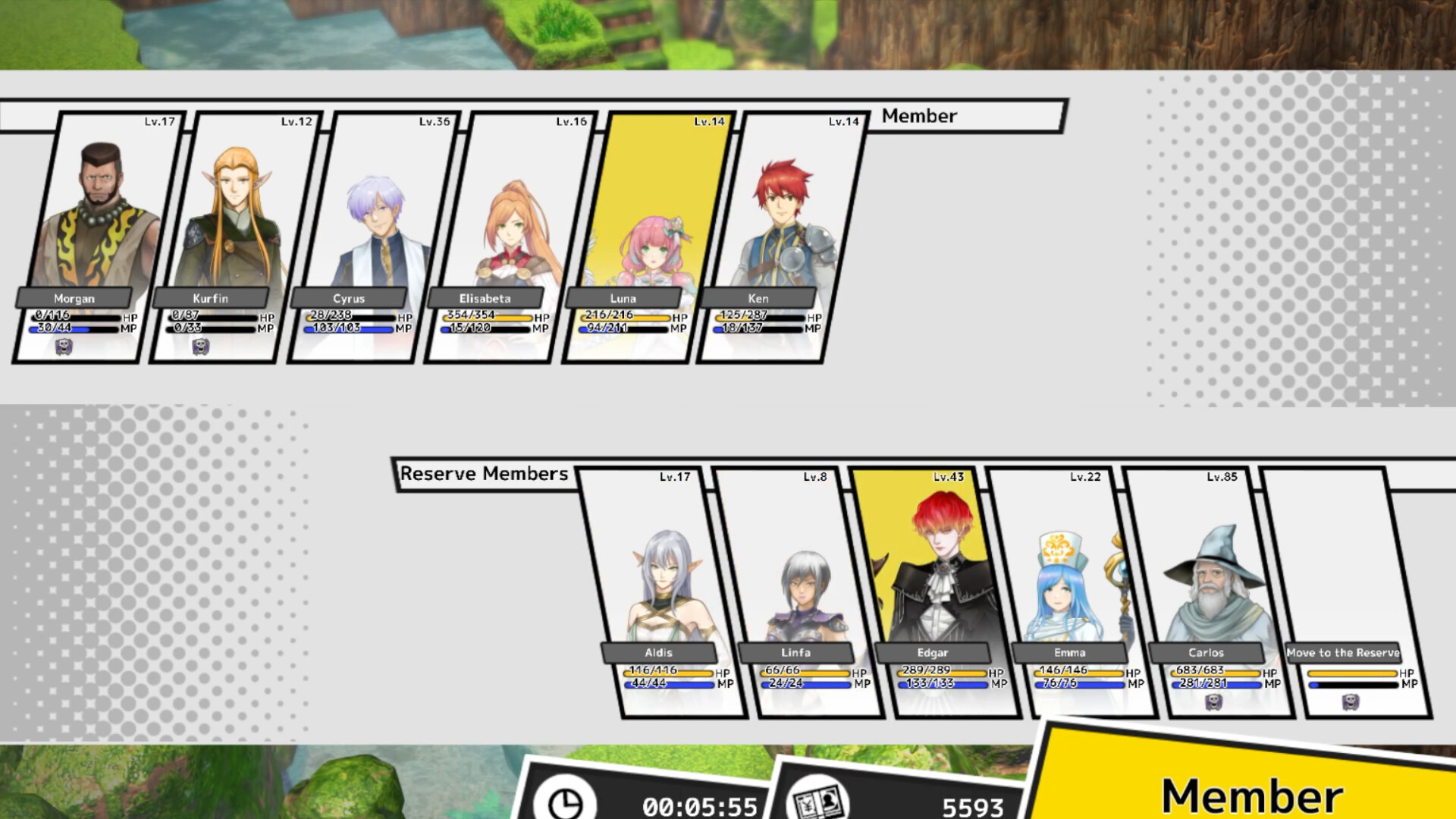
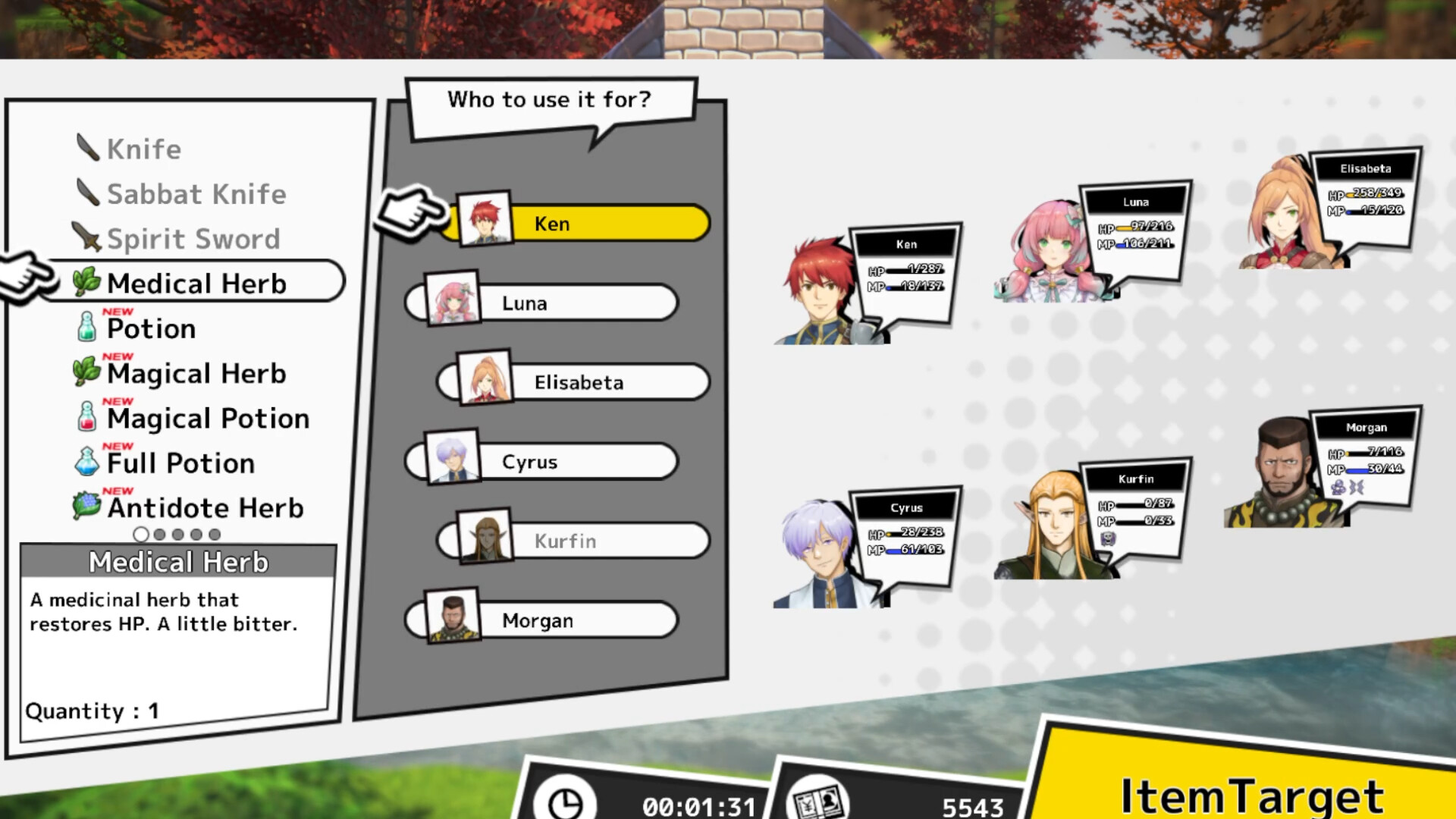
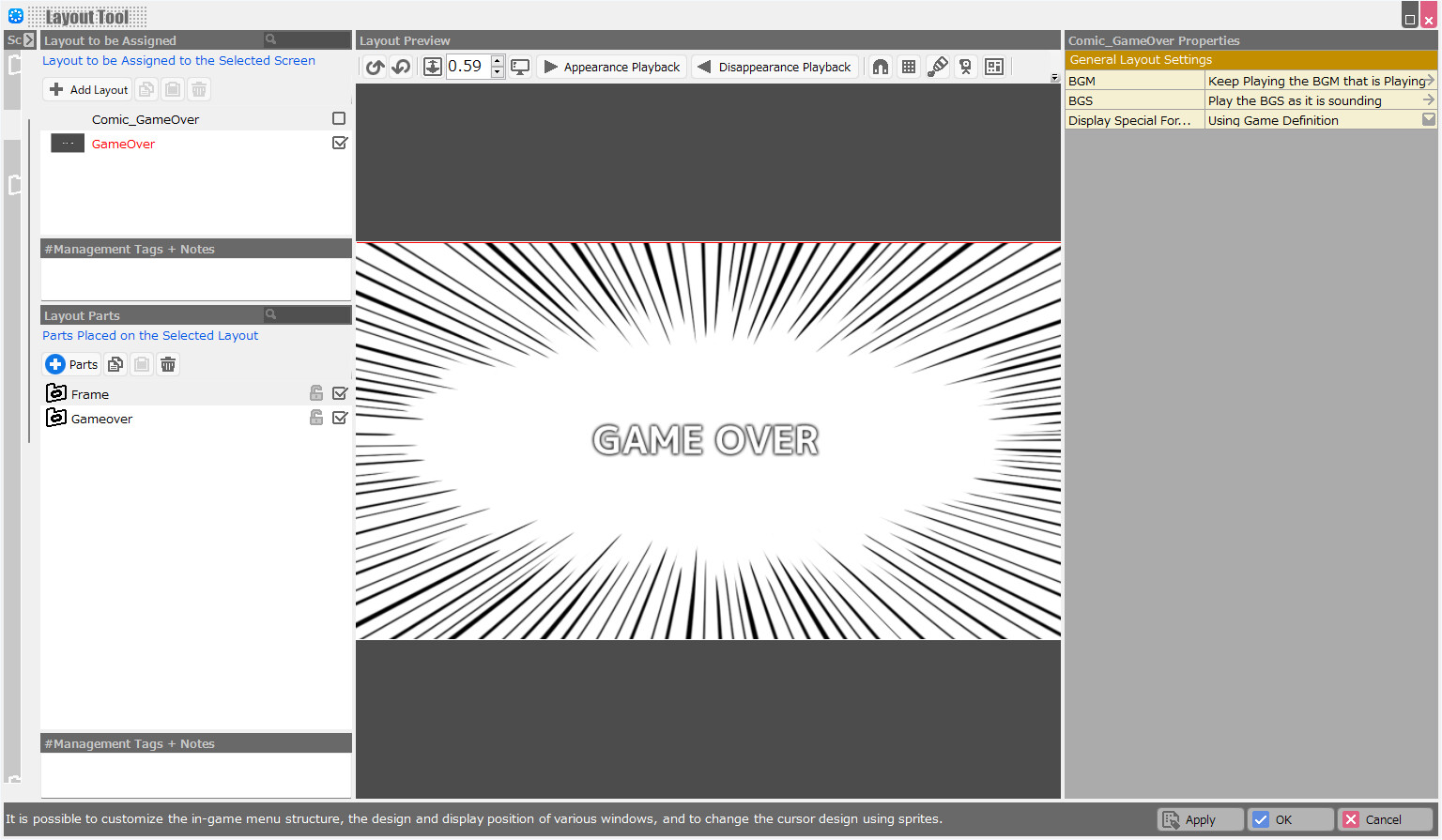
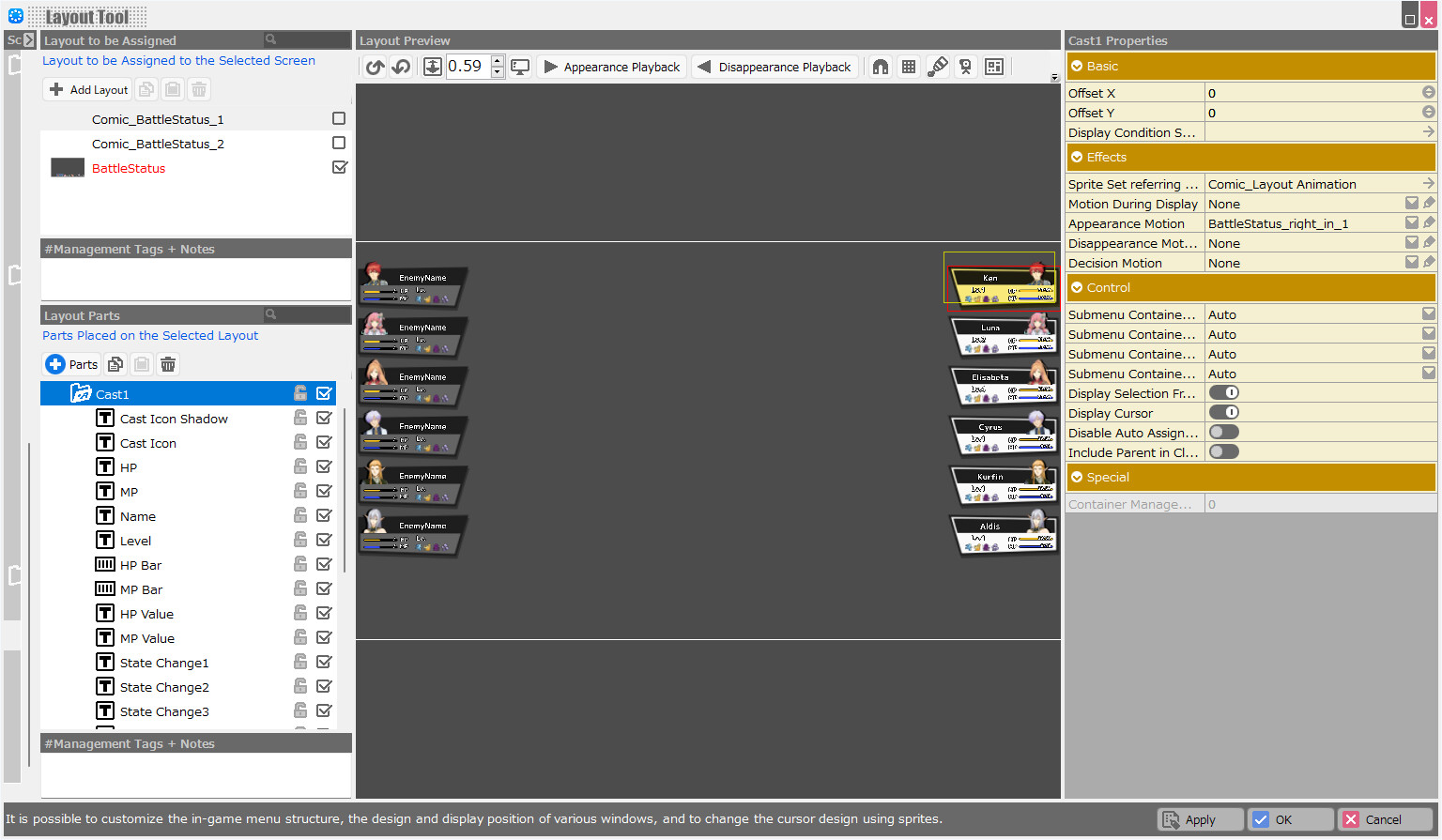
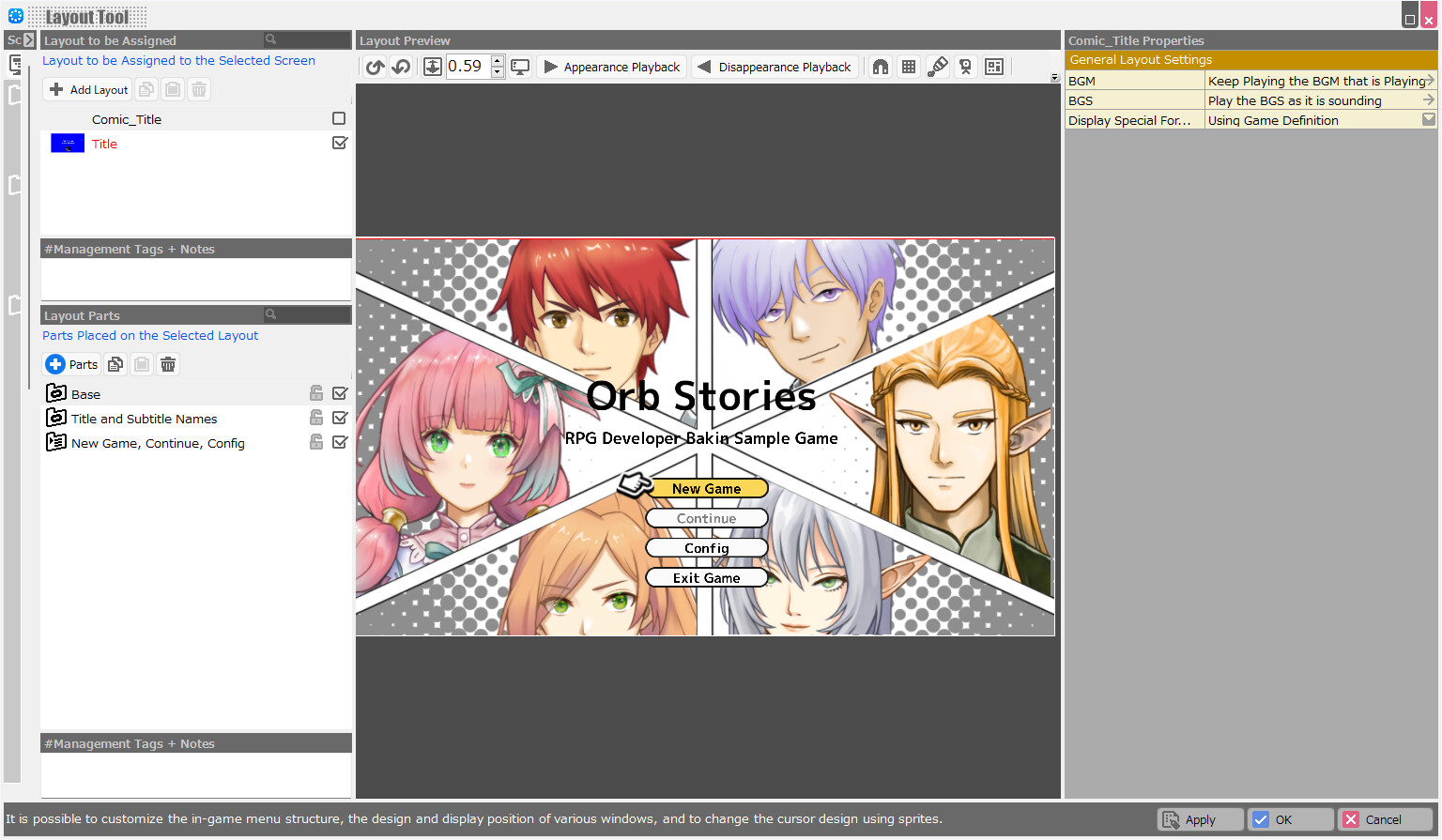
This is a layout data pack with a simple yet fun visual design inspired by Japanese manga.
The cartoonish color schemes and window designs are visually appealing and bright, making your own game even more unique.
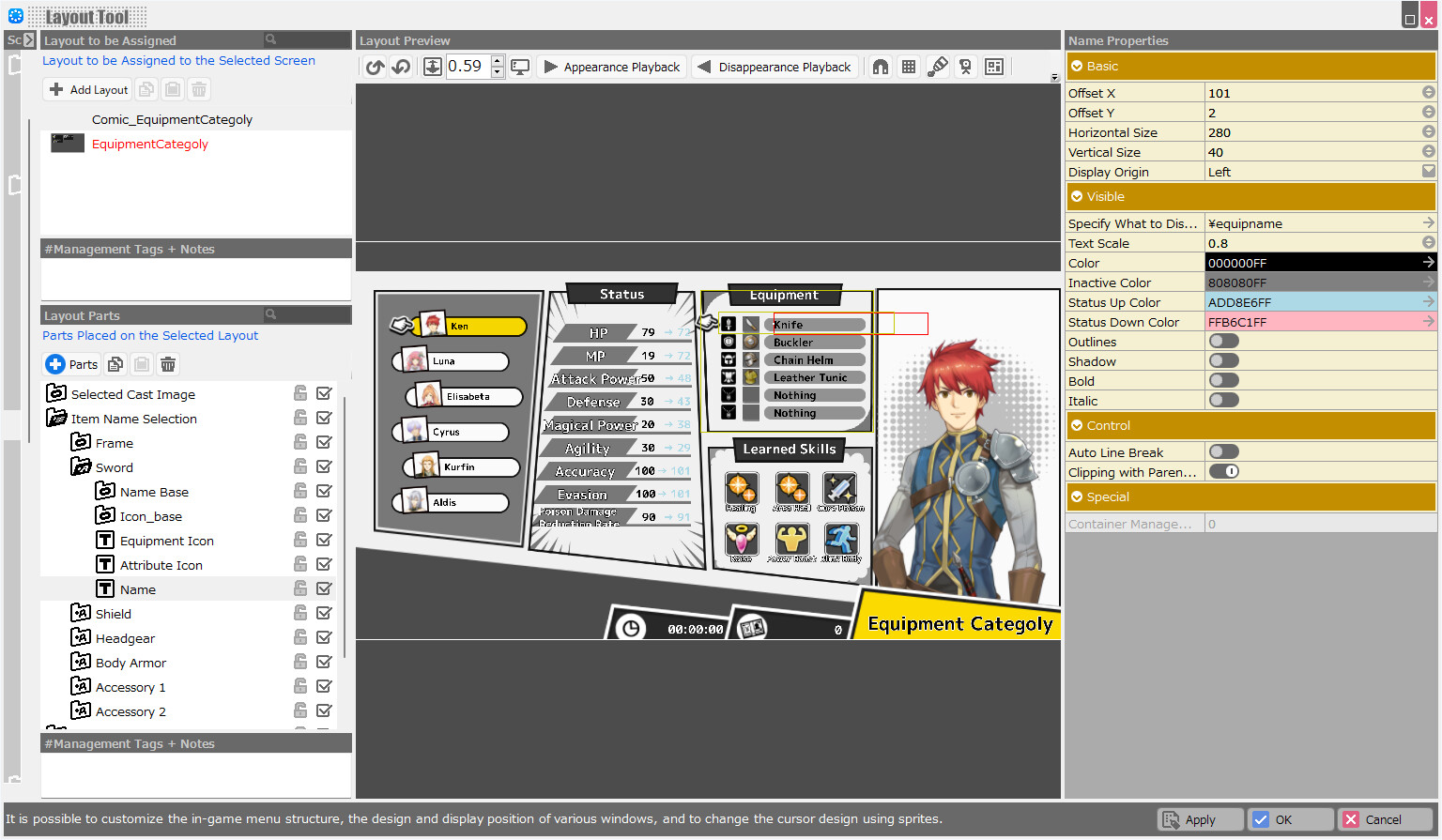
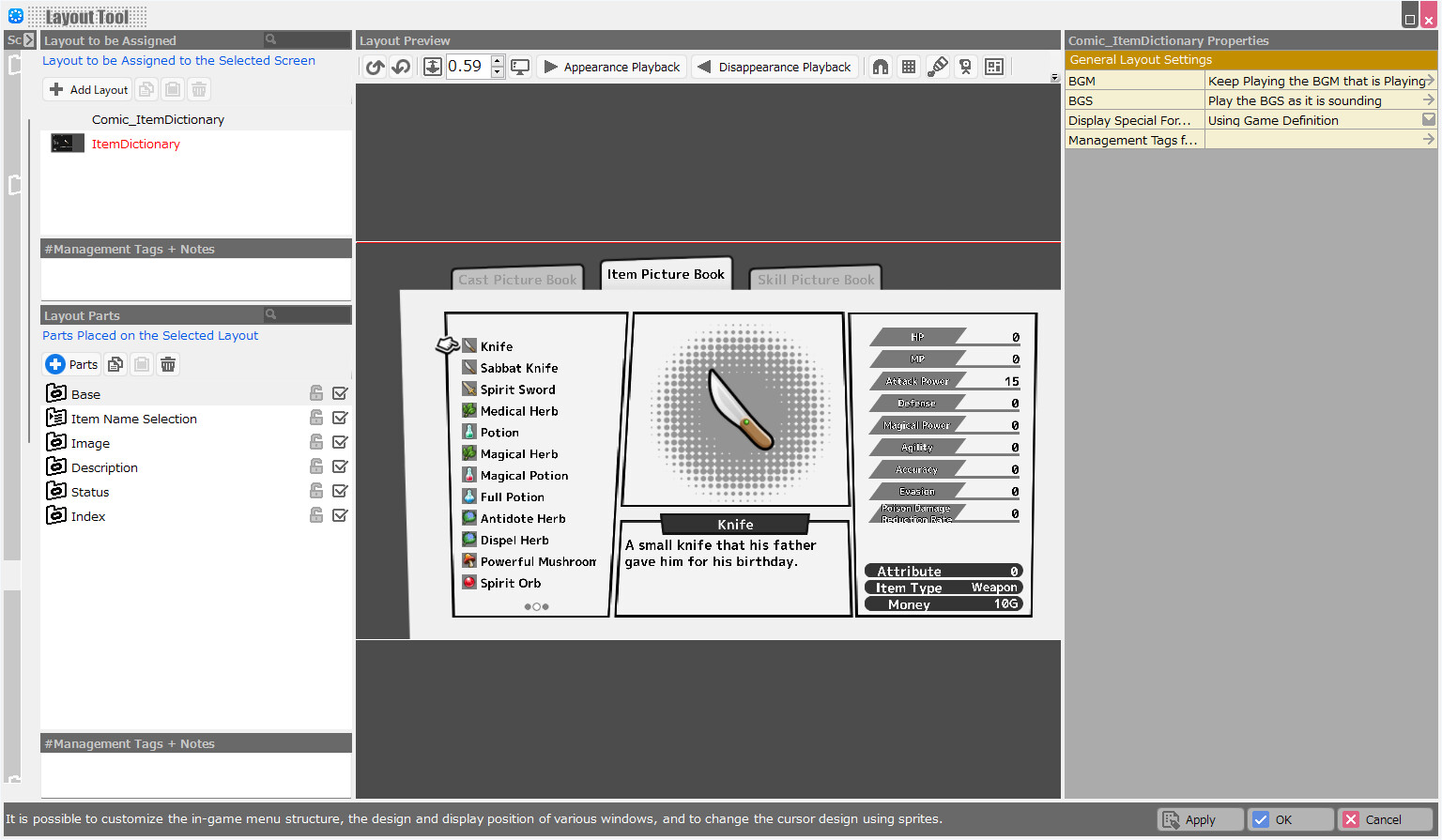
After importing data from the Layout Tool, you can simply assign the layouts set up for each screen to modify your own game UI.
[Layout Data Comic - Contents]
--LYRBR data: 1
Pre-setup data for the title, system, in-game presentation, menu, conversation, store, and battle screens.
--Image Resources: 140 (used for LYRBR data 140)
2) Start Bakin from the Steam Client Library. Restart Bakin if it has already been started.
3) Check if the DLC has been downloaded to the folder:
---
It will be downloaded into dlc in contents under the folder where Bakin is installed.
---If you have arbitrarily changed the installation location, see under the following directories
If you have arbitrarily changed the installation location, see under the following directories.
---
If you check “dlc”, you will see that the DLC has been downloaded.
---
(!!) If you cannot find it, try the following section.
1) After logging in to the Steam client, select Bakin in the Library.
2) Right-click and select "Properties" from the menu.
3) Select "Installed Files" from the menu on the left and click "Browse" on the right to see the directory where Bakin was installed.
2) From the "Layout Preview" top menu, click on the "Layout Import Button" (down arrow icon on the folder).
3) A file selection screen will appear. Select the downloaded layout data (extension .lyrbr).
2) Put a check mark in the checkbox for the name of the layout data, and the layout used in the game will be switched.
The cartoonish color schemes and window designs are visually appealing and bright, making your own game even more unique.
After importing data from the Layout Tool, you can simply assign the layouts set up for each screen to modify your own game UI.
[Layout Data Comic - Contents]
--LYRBR data: 1
Pre-setup data for the title, system, in-game presentation, menu, conversation, store, and battle screens.
--Image Resources: 140 (used for LYRBR data 140)
=== Installation Method ===
1) Purchase and download the DLC at the store.2) Start Bakin from the Steam Client Library. Restart Bakin if it has already been started.
3) Check if the DLC has been downloaded to the folder:
---
It will be downloaded into dlc in contents under the folder where Bakin is installed.
---If you have arbitrarily changed the installation location, see under the following directories
If you have arbitrarily changed the installation location, see under the following directories.
---
If you check “dlc”, you will see that the DLC has been downloaded.
---
(!!) If you cannot find it, try the following section.
1) After logging in to the Steam client, select Bakin in the Library.
2) Right-click and select "Properties" from the menu.
3) Select "Installed Files" from the menu on the left and click "Browse" on the right to see the directory where Bakin was installed.
=== Importing Method ===
1) Open "Layout Tool" from the "Master Menu".2) From the "Layout Preview" top menu, click on the "Layout Import Button" (down arrow icon on the folder).
3) A file selection screen will appear. Select the downloaded layout data (extension .lyrbr).
=== Reflect in the Game ===
1) The available layout data is displayed in "Layout Tool" under "Layout to be Assigned". In the case of this product, it is Comic_(name of each screen).2) Put a check mark in the checkbox for the name of the layout data, and the layout used in the game will be switched.
Об этом дополнении
Базовая игра — RPG Developer Bakin.
Как установить DLC
В библиотеке Steam откройте свойства базовой игры и раздел «Доп. контент (DLC)». Отметьте купленное дополнение в списке. Загрузку можно проверить в разделе «Загрузки».
Справка Steam по дополнениям ↗Другие DLC этой игры
 RPG Developer Bakin Smile Objects Vol.3
 RPG Developer Bakin Clean City Kit
 RPG Developer Bakin Previous BasicSet
Отзывы игроков
|
Пока нет отзывов. Оставьте первый.
Написать отзыв

Наш друг на старте
Открыть в Steam
RPG Developer Bakin Layout Data Comic